

Bullet dodging · Action
Bad Time Simulator for NumWorks
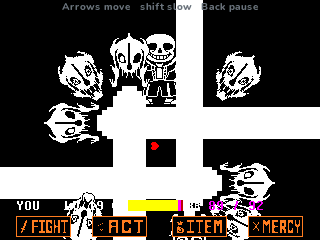
Dodge every attack of the hardest boss fight: bones, blasters and gravity switches, with the red and the blue heart.
Free · 189 KB · version 1.24.19 · Chrome or Edge on a computer
Screenshots
Runs on
| NumWorks N0110 | |
|---|---|
| NumWorks N0115 | |
| NumWorks N0120 | |
| Casio Graph 90+E | |
| Casio fx-CG50 | |
| Casio fx-CG10 | |
| Casio fx-CG20 | |
| TI-Nspire CX | |
| TI-Nspire CX CAS | |
| TI-Nspire CX II | |
| TI-Nspire CX II CAS |
Details
- Genre
- Bullet dodging
- Category
- Action
- Version
- 1.24.19
- File size
- 189 KB
- Updated
- Made by
- Mason Chen (NumPlay)
- License
- GPL-3.0
How to install Bad Time Simulator
- Plug your NumWorks into a computer with its USB cable.
- Open this page in Chrome or Edge and press Install on my calculator, then pick your calculator.
- When it says the cartridge is inserted, unplug the cable, press Home and open the game.


