

Classic arcade · Classic
Snake for NumWorks
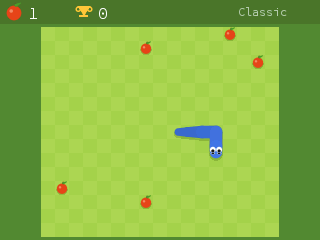
Google’s Snake, with the checkered lawn and the big-eyed blue snake. Three board sizes and twelve modes, from Classic to Wall, Portal and Cheese.
Free · 27 KB · version 1.7.0 · Chrome or Edge on a computer
Screenshots
Works on
| NumWorks N0110 | Not tested yet |
|---|---|
| NumWorks N0115 | Not tested yet |
| NumWorks N0120 | Not tested yet |
Details
- Genre
- Classic arcade
- Category
- Classic
- Version
- 1.7.0
- File size
- 27 KB
- Updated
- Made by
- Tatone26 and Mason Chen (NumPlay)
- License
- The Unlicense
How to install Snake
- Plug your NumWorks into a computer with its USB cable.
- Open this page in Chrome or Edge and press Install on my calculator, then pick your calculator.
- When it says the cartridge is inserted, unplug the cable, press Home and open the game.


